Zoccer App: No Native iOS or Android Download
Zoccer runs in a mobile browser — there is no native app. Here is what that means for playing on your phone, and why two store listings with the Zoccer name are not what they seem.
App Store and Google Play checked 27 October 2026 · 18+
01 / STORE CHECKS
What the app stores actually show
The App Store search for "zoccer" returned 47 results on 27 October 2026 — football games like Soccer Superstar and Dream League Soccer. None is a casino, and none is published by an operator connected to Zoccer.
Google Play is where the name gets borrowed. Two listings use the Zoccer name:
Zoccer Casino — published by NUSA INVESTMENTS LTD. The store description is a quiz about Blakiston's fish owl. No casino, no betting, no connection to zoccer.com.
Zoccer — published by FIMASA LIMITED. A quiz about Antarctic octopuses. Same story.
The live Zoccer site does not link to either store. A search of the page source for App Store, Google Play, iTunes or .apk references returned nothing. The Help Centre has no app section.
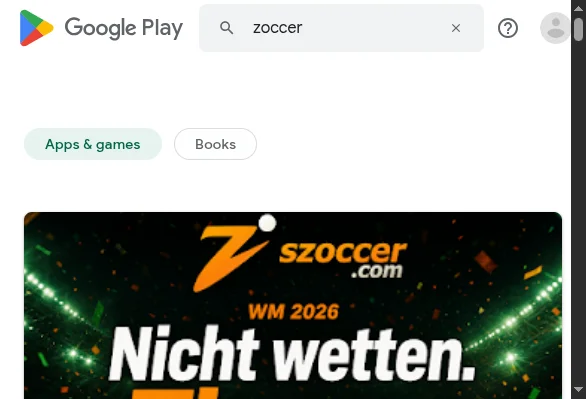
Anyone can publish an app with "Zoccer" in the title. The package identifiers belong to quiz apps, not a casino client, and the listed developers are not the operator behind zoccer.com.
02 / MOBILE BROWSER
Playing Zoccer in your mobile browser
We loaded the site at a phone-sized viewport (390 × 844) on 27 October 2026. The full platform works in the browser: Sports, Live Betting and Casino tabs, a category rail, and game tiles with Play and Demo buttons.
The lobby packs a large catalogue. At the time of our check, the All Games shelf showed 13,920 titles, Slots 11,016, Top Live Casino 170 tables and Blackjack 359 tables. These counters change as games are added or retired.
The browser version supports the same cashier, promotions and account features as the desktop site. No functionality is locked behind a native app because there is no native app.
No app needed — the full casino runs on any phone.
03 / HOME SCREEN
Add Zoccer to your home screen
The site serves a web app manifest with standalone display mode. That means a home-screen shortcut opens without the browser address bar — it looks like an app, but it is still the website.
Here is how to set it up on both platforms:
Open zoccer2.com → tap Share → Add to Home Screen. The shortcut appears with the Zoccer icon and name.
Open zoccer2.com → tap the browser menu → Add to Home screen. The shortcut opens in standalone mode.
The shortcut loads the live site. A connection is always required.
04 / APK RISK
Why you should not install a Zoccer APK
Some third-party sites offer a Zoccer APK download. Here is the problem: there is no official app to compare it against. The live site provides no download link, and neither store holds a Zoccer casino app.
An APK from an unknown source can request permissions a browser tab never asks for — installing other apps, reading contacts, drawing over your screen. This is how cloned casino apps steal credentials.
If a site offers a "Zoccer app download", it is not distributing an official build. There is nothing to verify the file against.
No store review. No verified developer. No signature to compare.
Two listings use the Zoccer name but publish unrelated quiz content.
The only verified access path. Same features, no install required.
05 / HOW WE CHECKED
Method and source trail
What was checked, where, and when.
All checks dated 27 October 2026. Store results and game counters change without notice.
06 / FAQ
Zoccer app FAQ
The short answers, with the details behind each one.